.png?width=480&height=336&name=Illus%20(4).png)



.png?width=94&height=64&name=Logo%20Ku%20(1).png)






A reliable bug tracking system is essential for modern software development. Without one, teams risk delays, duplicated work, and frustrated users.
This is where Jira bug tracking makes a difference. With built-in project templates, customizable workflows, and automation, Jira gives teams a structured way to capture issues, assign them to the right people, and track progress from report to resolution.
In this article, you’ll learn what a bug tracking system is, how Jira simplifies bug management, how to configure templates and workflows, and which best practices help teams deliver higher-quality software faster.
How Jira simplifies bug tracking
What is bug tracking system?
A bug tracking system is a specialized application that enables teams to log, categorize, assign, and resolve defects in software. It ensures bugs are reported consistently and routed to the right owner at the right time.
A strong bug tracking solution provides a single source of truth for all work - defects, tasks, or feature requests. By consolidating everything into one backlog, teams can prioritize effectively, eliminate duplication, and deliver value continuously.
Why use Jira for bug tracking?
Jira simplifies defect management by connecting bug tracking to the entire software development lifecycle (SDLC). Its workflow engine provides clear visibility into issue status, while automation rules keep teams aligned as bugs move from backlog to release.
With Jira bug tracking, teams can:
-
Capture and track bugs across multiple projects in one system
-
Assign and prioritize issues with transparency using custom fields and components
-
Visualize progress from backlog to done with Scrum and Kanban boards
-
Stay up to date with real-time notifications and automated updates
-
Streamline bug resolution to cut bottlenecks and accelerate releases
Jira is more than a defect tracker. It acts as a work management hub, linking bugs to epics, tasks, test results, and deployments, helping teams improve quality and ship software faster.
Set up Jira for bug tracking with built-in template
What is a bug tracking template?
The bug tracking template in Jira is a pre-configured project setup that makes it easier for teams to capture, track, and resolve issues.
This setup makes it easier to capture, triage, and resolve issues by providing:
-
Boards – Visualize and manage bugs on Kanban or Scrum boards
-
Backlogs – Organize reported issues with metadata such as severity, priority, and version
-
Roadmaps – Align bug fixes with milestones, dependencies, and release schedules (basic or advanced, depending on plan)
-
Reports & dashboards – Analyze bug trends, resolution times, and team performance for continuous improvement
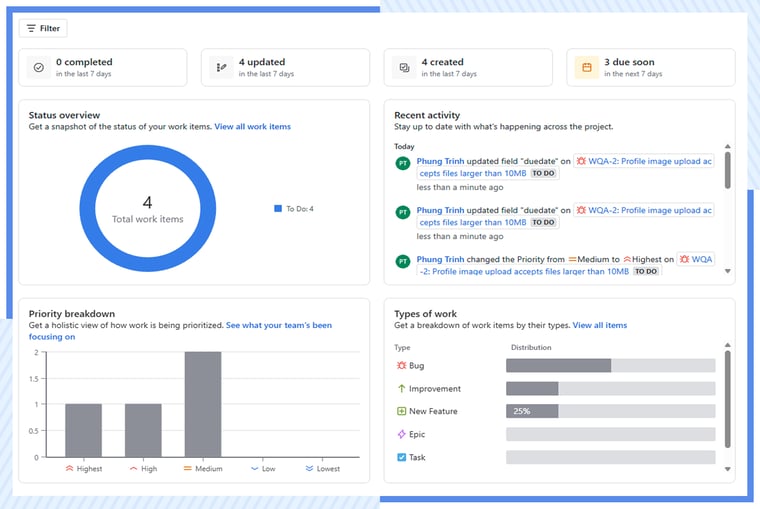
Kickstart bug tracking with Jira template
Getting started with the bug tracking template is simple and gives teams a ready-to-use framework for handling defects:
-
Capture bugs in one place
Log every issue in the template with context such as severity, environment, and screenshots. This ensures nothing gets lost and developers have the details they need to fix problems quickly.
-
Assign and prioritize
Assign each bug to the right person and rank issues by urgency and impact. Clear ownership makes it easy to address the most critical defects first.
-
Track progress through workflows
Use the built-in workflows to move bugs from “Reported” to “Resolved” (or “Done”). Be consistent with how your team defines these statuses, and capture resolution details in a dedicated field. Real-time updates keep the whole team aligned and prevent bottlenecks.
-
Keep teams productive
If your team prefers, you can create a dedicated bug tracking project. However, many agile teams keep bugs in the same backlog as features and tasks to ensure everything is prioritized together.
Tailor Jira workflows for streamline bug management
How to create a custom bug tracking workflow
Creating a bug tracking project is just the beginning. To make Jira truly effective, you can design own to reflect your team’s real process.
Step 1: Define key statuses
In the workflow editor, add or adjust statuses to match your bug lifecycle. Typical stages might include:
-
Reported – A new bug has been logged
-
In Progress – A developer is working on a fix
-
In Review / QA – The fix is being tested
-
Resolved – The bug is fixed and verified
-
Reopened – The issue came back or wasn’t fixed correctly
-
Done – The bug is fully closed
Step 2: Configure transitions
Connect statuses with logical transitions (e.g., Reported → In Progress, Resolved → Done). You can:
-
Add conditions, such as requiring a resolution field before moving to “Done”
-
Use validators to make sure key details (like severity or fix version) are filled in
Step 3: Add workflow properties
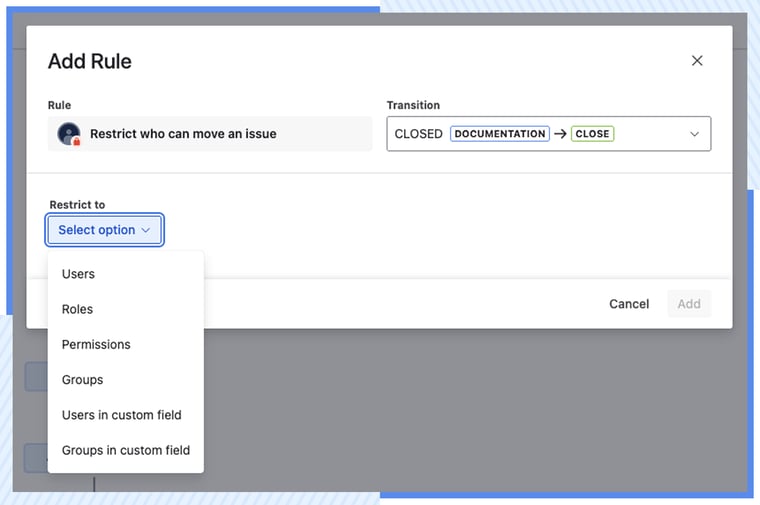
Fine-tune control over how bugs move through the workflow:
-
Restrict certain transitions to specific roles (e.g., only QA can close a bug)
-
Add post functions, such as auto-assigning bugs to QA when they move into “In Review”
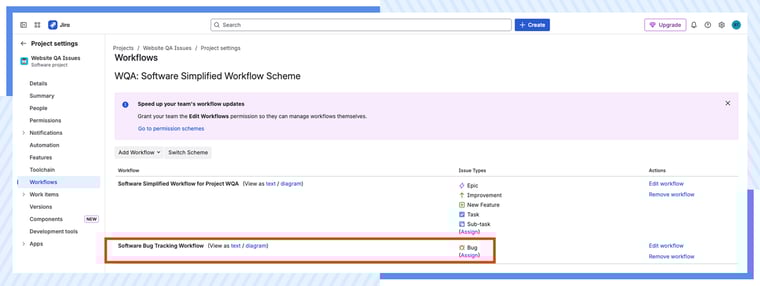
Step 4: Map the workflow to the Bug issue type
Ensure this workflow applies only to Bugs, not to tasks or stories. If needed, adjust your Issue type scheme so each issue type follows the right workflow.
Step 5: Test and publish
Before rolling it out, create a sample bug and walk it through every stage. Check that transitions, notifications, and assignments behave as expected.
Once everything works smoothly, publish your workflow.
Top 5 proven tips for efficient bug tracking
Efficient bug tracking in Jira isn’t just about setting up workflows—it’s about building habits that keep your team aligned and productive.
1. Leverage Jira automation for bug assignments
Use Jira automation rules to automatically assign bugs based on component, module, or team. You can also configure rules to add labels, enforce field values, or transition issues automatically when pull requests are merged.
➡️ Why it matters: Automation reduces manual triage, eliminates delays, and ensures bugs are routed to the right owner immediately.
2. Monitor defect trends with Jira dashboards
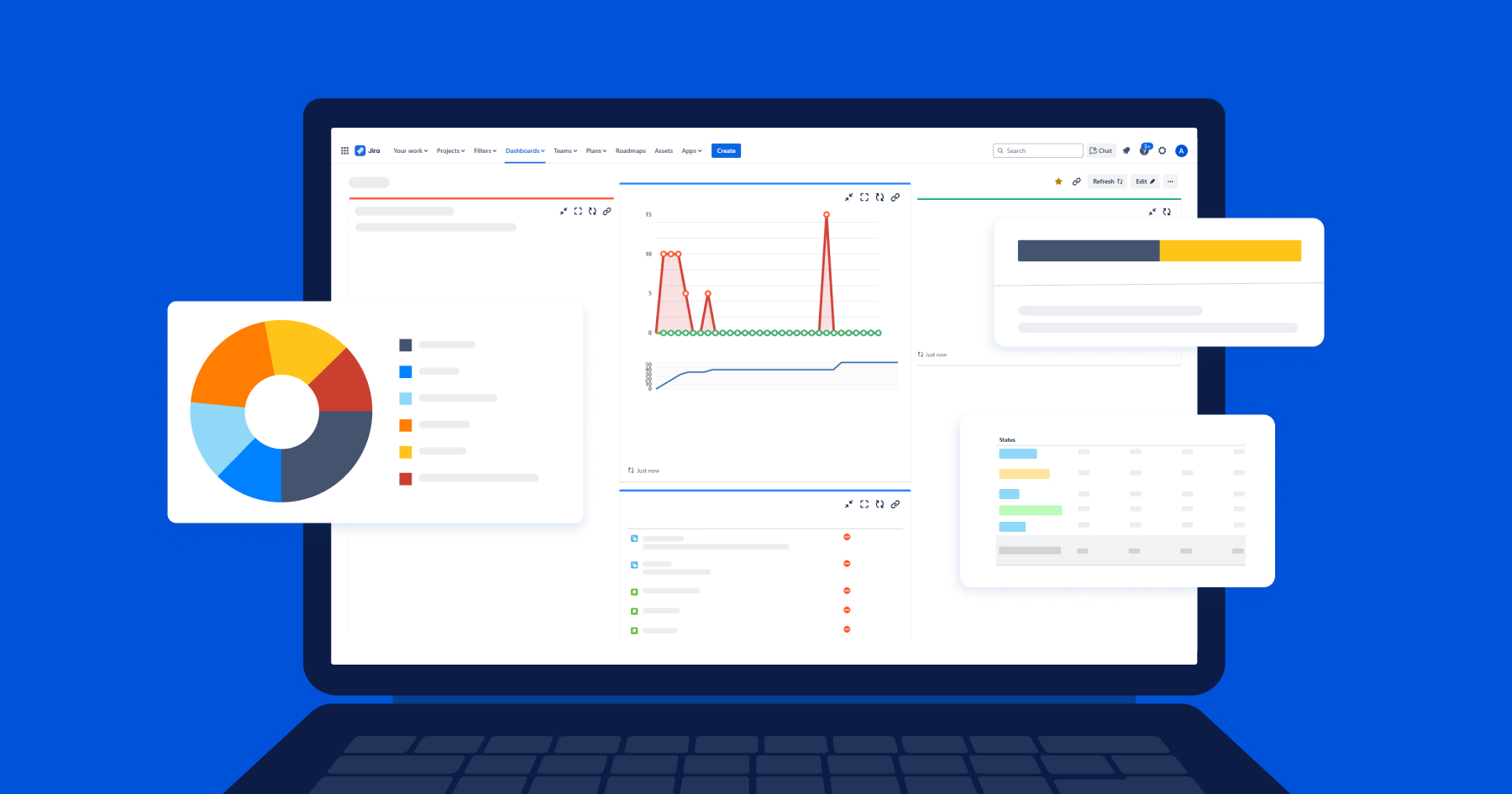
Create dashboards and gadgets to track KPIs such as resolution time, reopen rates, and the ratio of open vs. closed bugs. These visual reports make trends and bottlenecks easy to spot.
➡️ Why it matters: Dashboards provide real-time visibility, enabling data-driven decisions and keeping stakeholders informed without extra effort.
3. Integrate test management and CI/CD tools
While Jira doesn’t have a native test management system, it integrates seamlessly with apps like Xray, Zephyr, or TestRail, as well as with your CI/CD pipeline. Failed test cases can trigger automatic bug creation, keeping QA and development perfectly aligned.
➡️ Why it matters: This accelerates feedback loops, keeps QA and development synchronized, and ensures defects are captured as soon as failures occur.
4. Standardize custom fields and components
Define and consistently use custom fields like Environment, Affects Version, and Fix Version. Organize bugs by components such as UI, API, or Database for better categorization.
➡️ Why it matters: Standardization improves reporting accuracy, gives developers complete context, and simplifies routing bugs to the right teams.
5. Create focus with JQL filters and saved views
Encourage teams to build Jira Query Language (JQL) filters and saved board views for recurring needs - such as “Bugs grouped by component”.
➡️ Why it matters: Filters cut through noise, help teams stay focused on priorities, and simplify reporting for leads and managers.
Turning Jira bug tracking into a team advantage with AgileOps
Jira bug tracking equips teams with the tools to deliver higher-quality software by providing:
-
Transparency – full visibility across the entire bug lifecycle, from discovery to closure.
-
Efficiency – streamlined assignments, automated workflows, and faster resolution times.
-
Traceability – a single source of truth that links bugs to code, tests, and releases, keeping everyone aligned.
Not sure if your Jira setup is working at its best?
👉 AgileOps – a Gold Atlassian Partner helps teams streamline workflows, boost productivity, and scale with Jira, Jira Service Management, and other Atlassian solutions.
About AgileOps
AgileOps officially joined the Atlassian Solution Partner Program in 2023, and in the same year, advanced to Gold Partner in December. Just one year later, in 2024, AgileOps was honored as the only representative from Vietnam to receive the title Atlassian Partner of the Year: Rising Star, Asia Pacific - an award recognizing promising partners with significant contributions in Atlassian license distribution and solution implementation.
In October 2025, AgileOps became the first and only Atlassian Specialized Partner in Vietnam for both Cloud Migration and Service Management, highlighting a leading position in delivering and optimizing Atlassian solutions.



.png)